How to Select and Share Your Favorite Photos with me
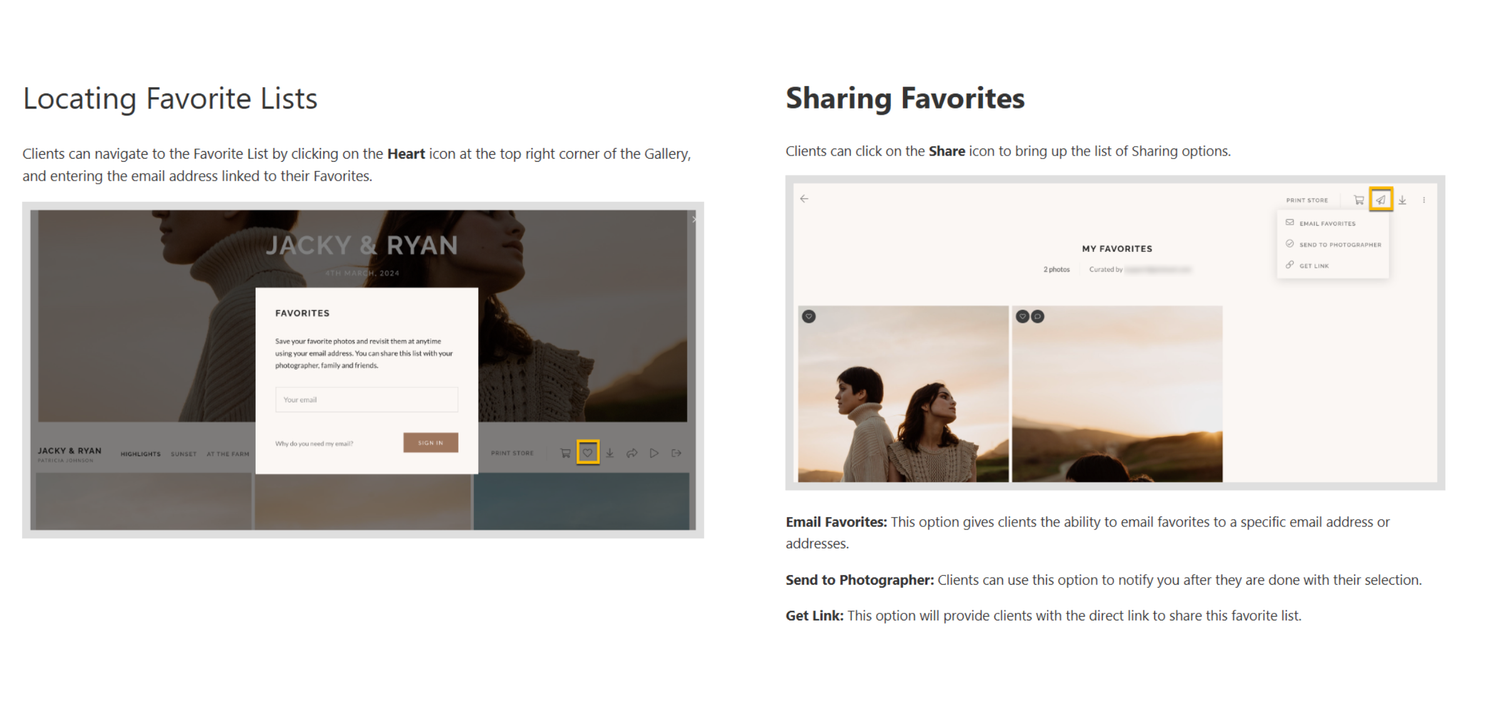
1️⃣ Click the ❤️ Heart Icon under the photos you love – they will be added to your ‘Favorites’ gallery.
2️⃣ Go to the ‘Favorites’ tab (at the top of the gallery) to review your selected photos.
3️⃣ Press the ✈️ ‘Send to Photographer’ button (or ‘Share’ option) and enter your name & email.
4️⃣ Click ‘Send’ – I’ll receive your selection and start editing!
💡 You may need this if you prefer to choose photos for post-production yourself or if you want to buy additional photos.