Important sizing information! please read
I use Pixieset, a simple photo-sharing app, to share and download all your pictures easily. Follow the steps below and remember your gallery password (included in your gallery email) and PIN (if provided).
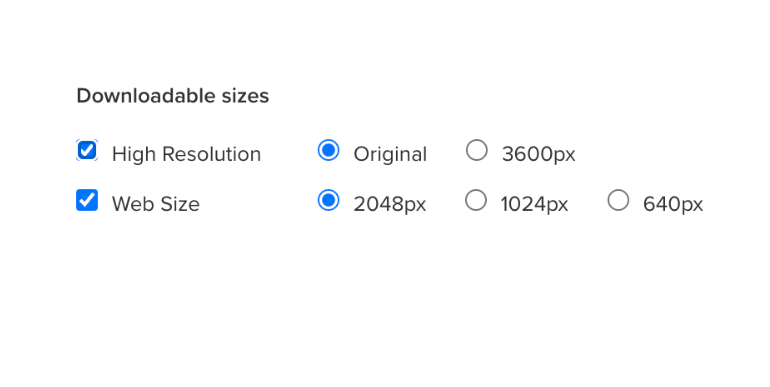
FIRST THINGS FIRST: DOWNLOAD THE IMAGES
The image above shows your size options. The first thing I recommend doing is downloading all the web resolution files and storing them in a folder on your hard drive, and have that folder back up to the cloud. This way, if your computer crashes and you lose your hard drive, you still have access to your imagery since they’re stored off site.
ALL ABOUT IMAGES: SIZE OPTIONS
I offer my clients two size options when downloading their images:
High Resolution: Original 5000px (This size is very large, and is only for printing or desktop viewing)
When printing, you must select your High Resolution images for optimal quality.
Web Size: 2048px. This is the optimal web size for retina display screens, or smartphones/tablets.
Anything lower than this might look pixelated and blurry.
To ensure the best quality when posting on social media, please make sure to select the web size files.
SAVE YOUR PHOTOS
Please save them somewhere safe in more than two places after downloading (like iCloud, computer, or USB). Galleries stay active for only 60 days.
There's a fee after 60 days to re-list your gallery.
do not SCREENSHOT YOUR PICTURES.
It makes the quality will be awful. It is also against my contract so I will ask you to remove them if you do.
PRINTING INFO
Ordering directly from my Print Store ensures professional-grade prints with high-quality materials and accurate colour calibration. Avoid rapid print labs like Walmart, Shoppers, and Costco as they give low-quality results. For the best outcome, consider using your Gallery or a professional lab. Great prices assured, and get a discount code by leaving a review on Google or Facebook! Never print directly from your phone to a printer either, as it brings down the quality.
HOW TO DOWNLOAD YOUR IMAGES ON A DESKTOP/LAPTOP
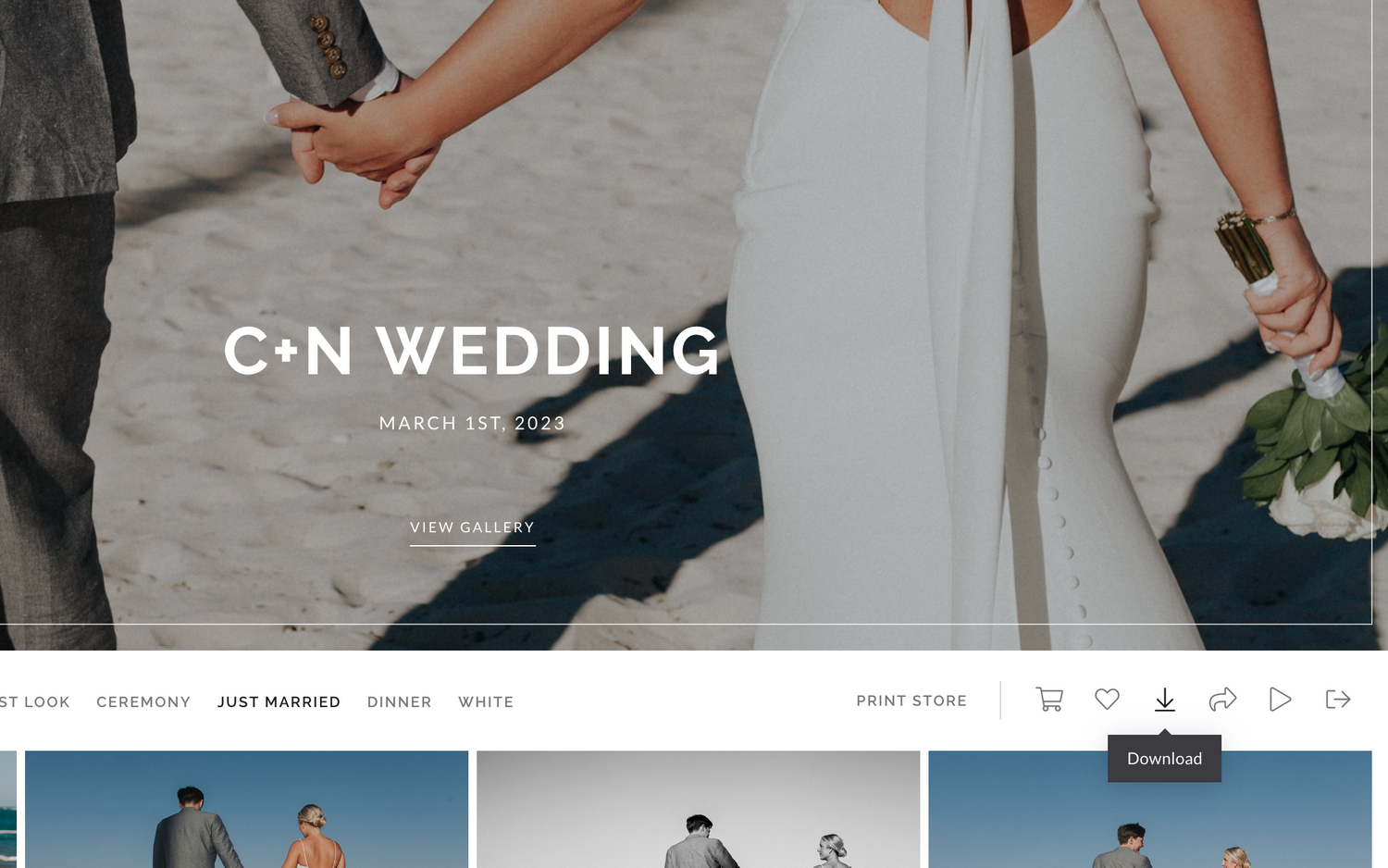
If you want to download the entire collection, you simply click on the Download icon shown at the top right of the Gallery view. You may be prompted to enter your email address and download PIN. Download PIN is provided to you in your gallery email, if applicable. Images will be sent to you via email in a .zip file. Clicking on the emailed file should unzip the file automatically and allow you to access your images.
See example below...
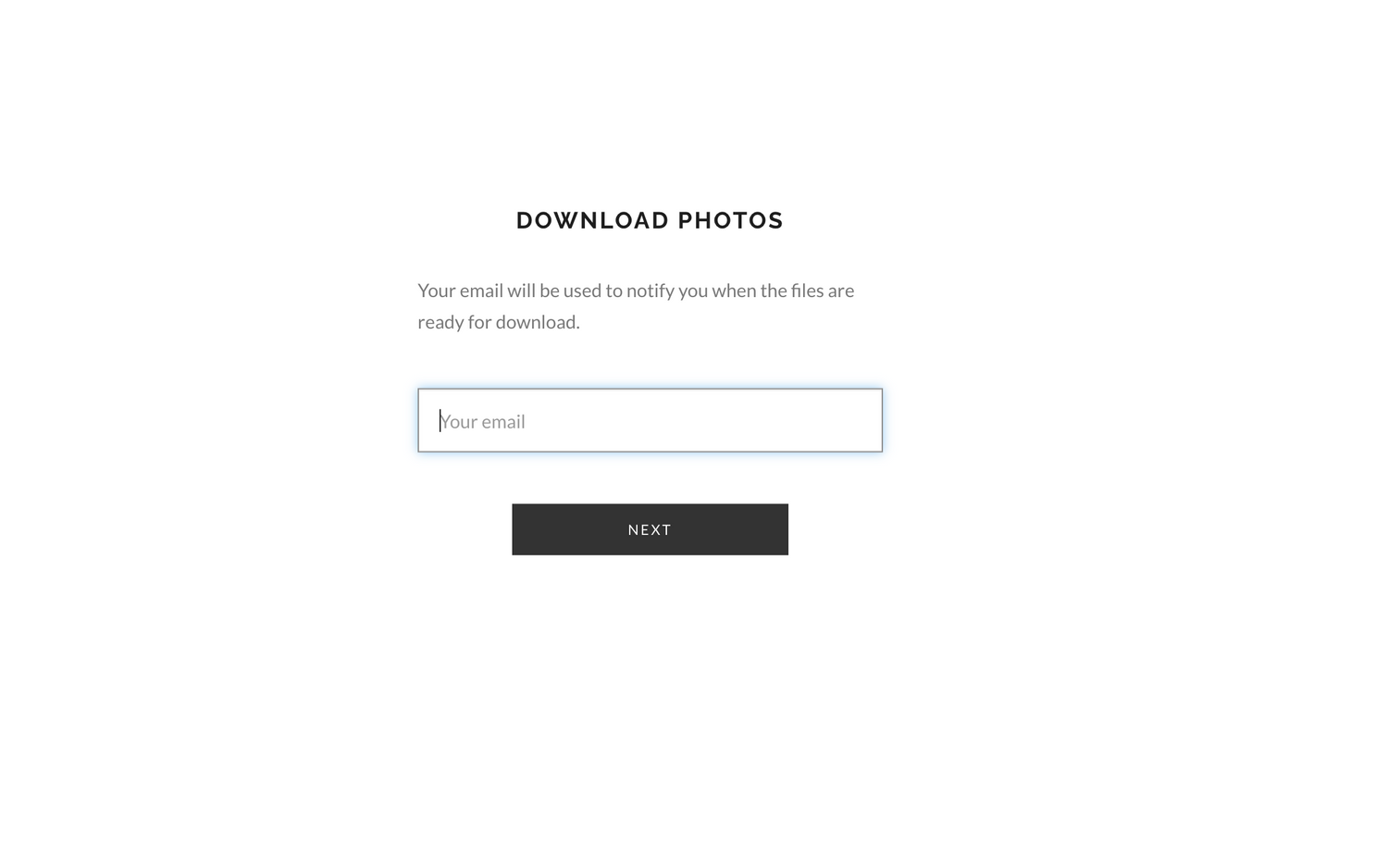
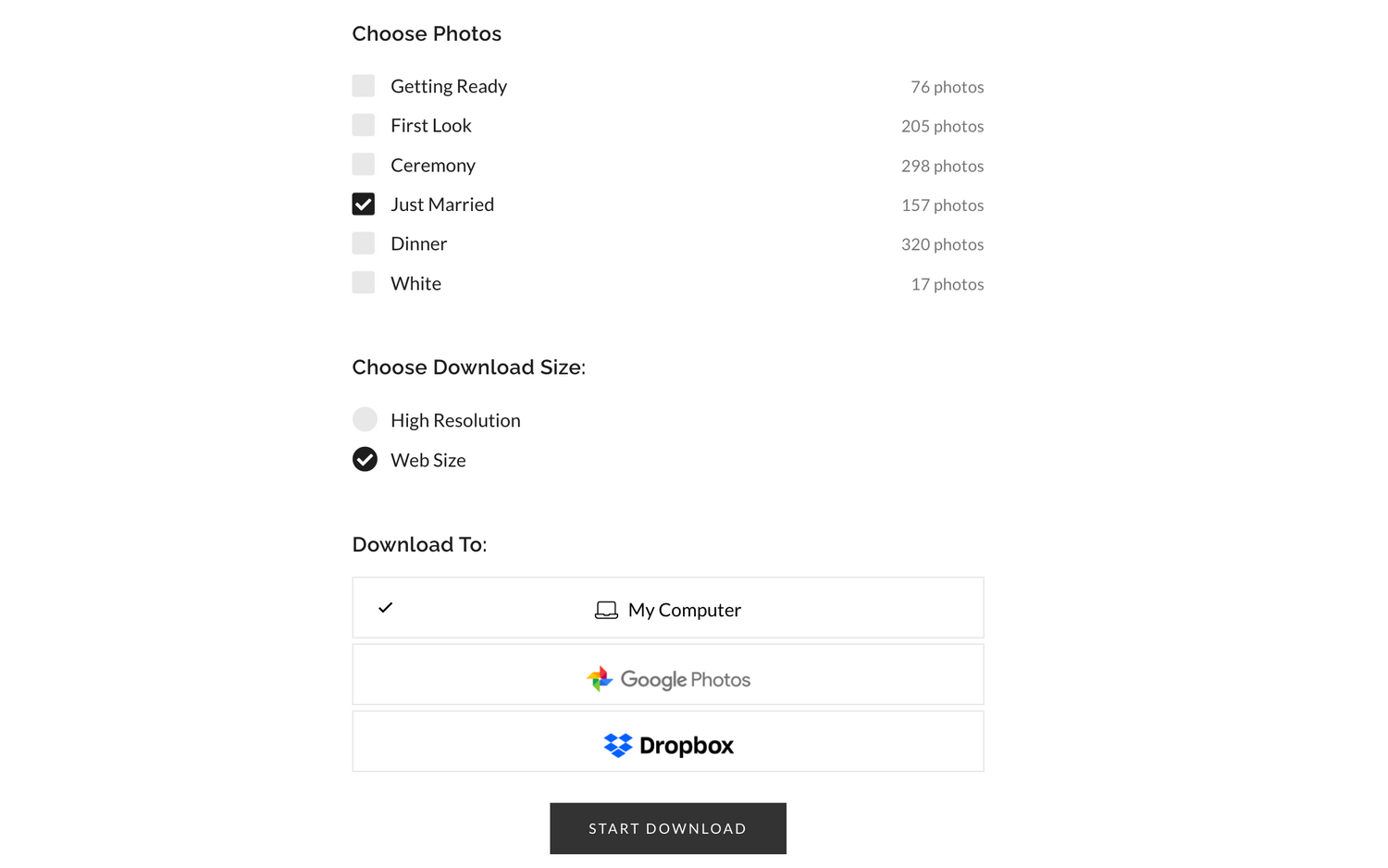
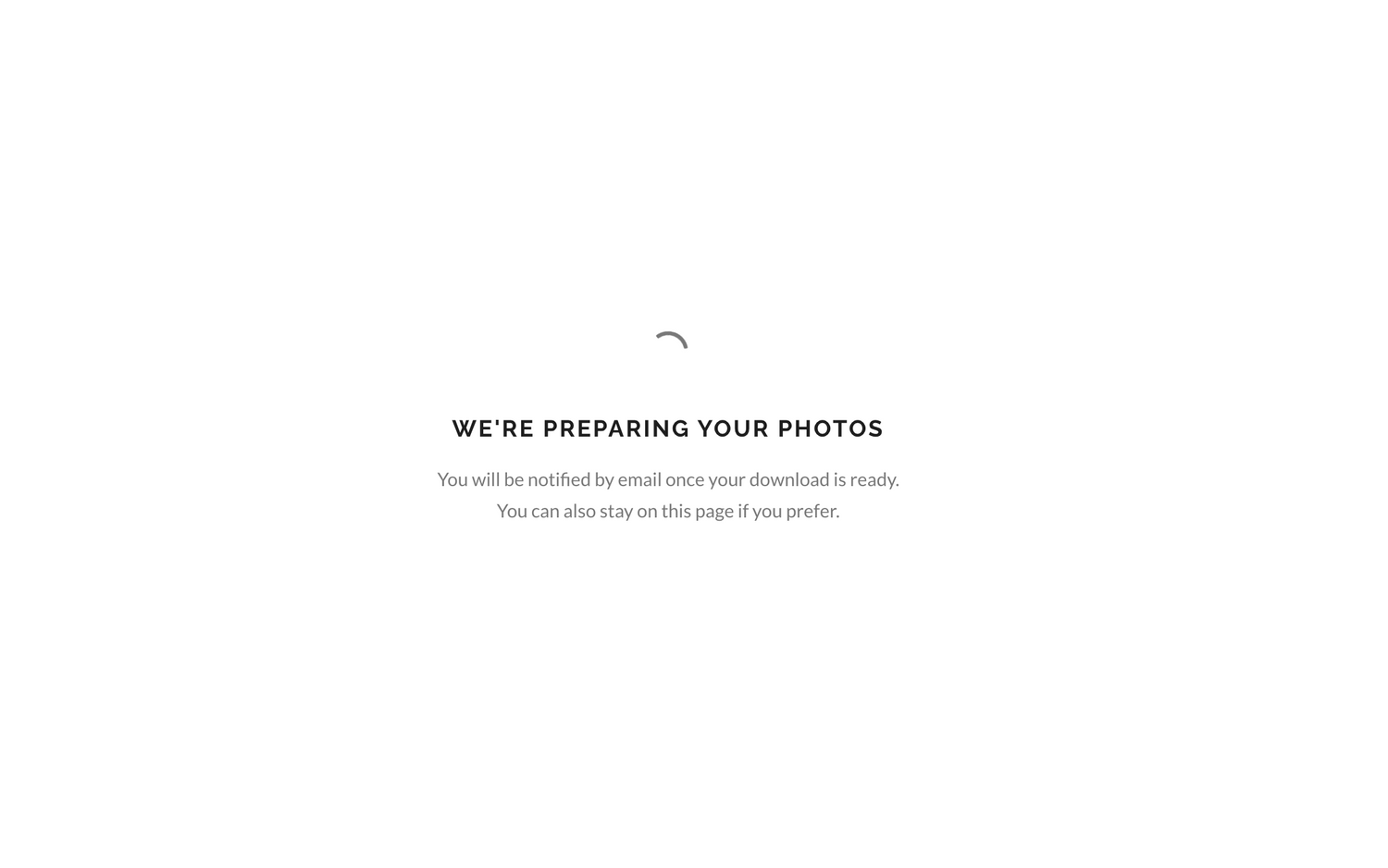
Next, please check back to your email for another link and click on "DOWNLOAD PHOTOS"
Afterward, unzip the files and choose the location on your computer where you'd like to save them for future use.
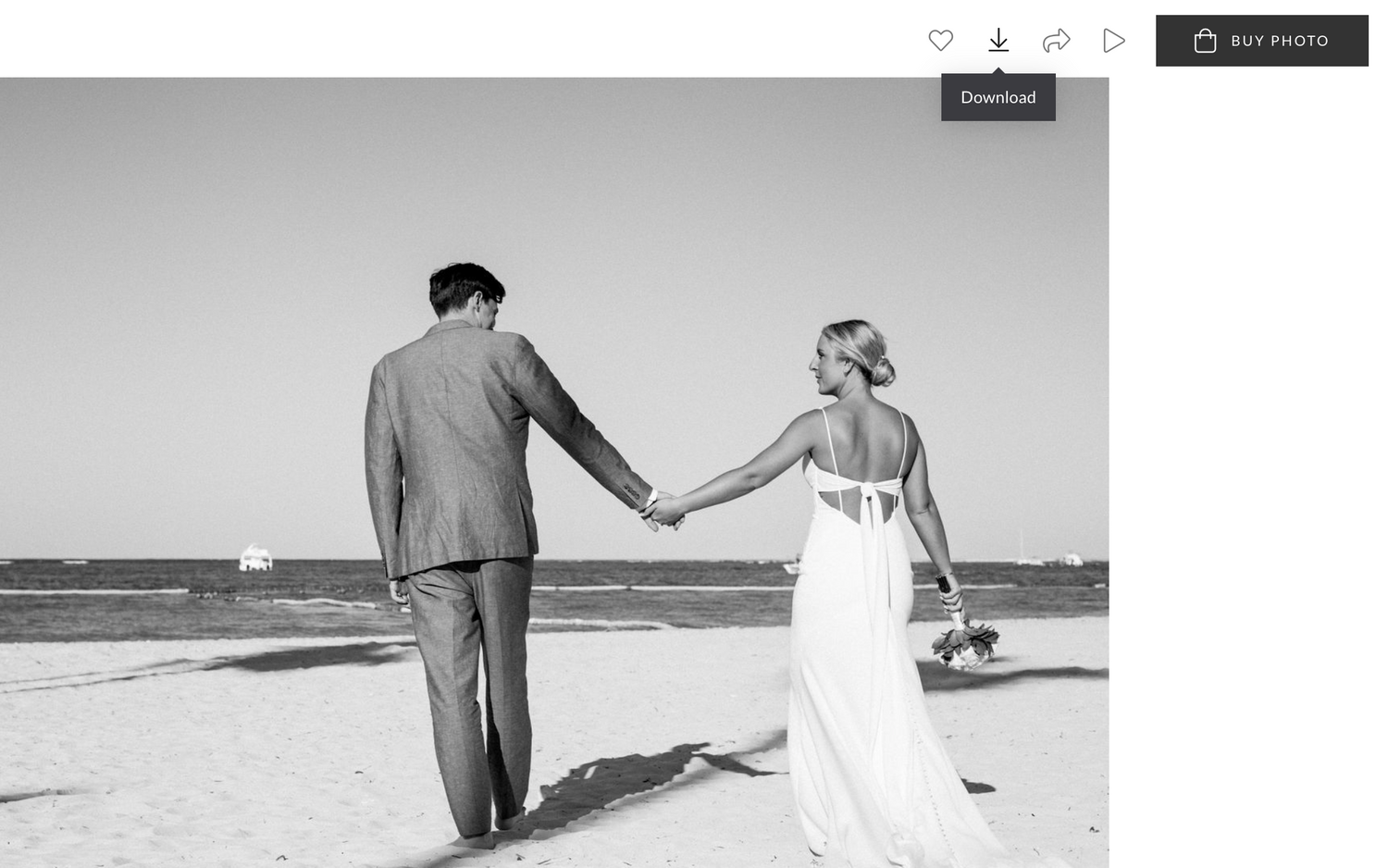
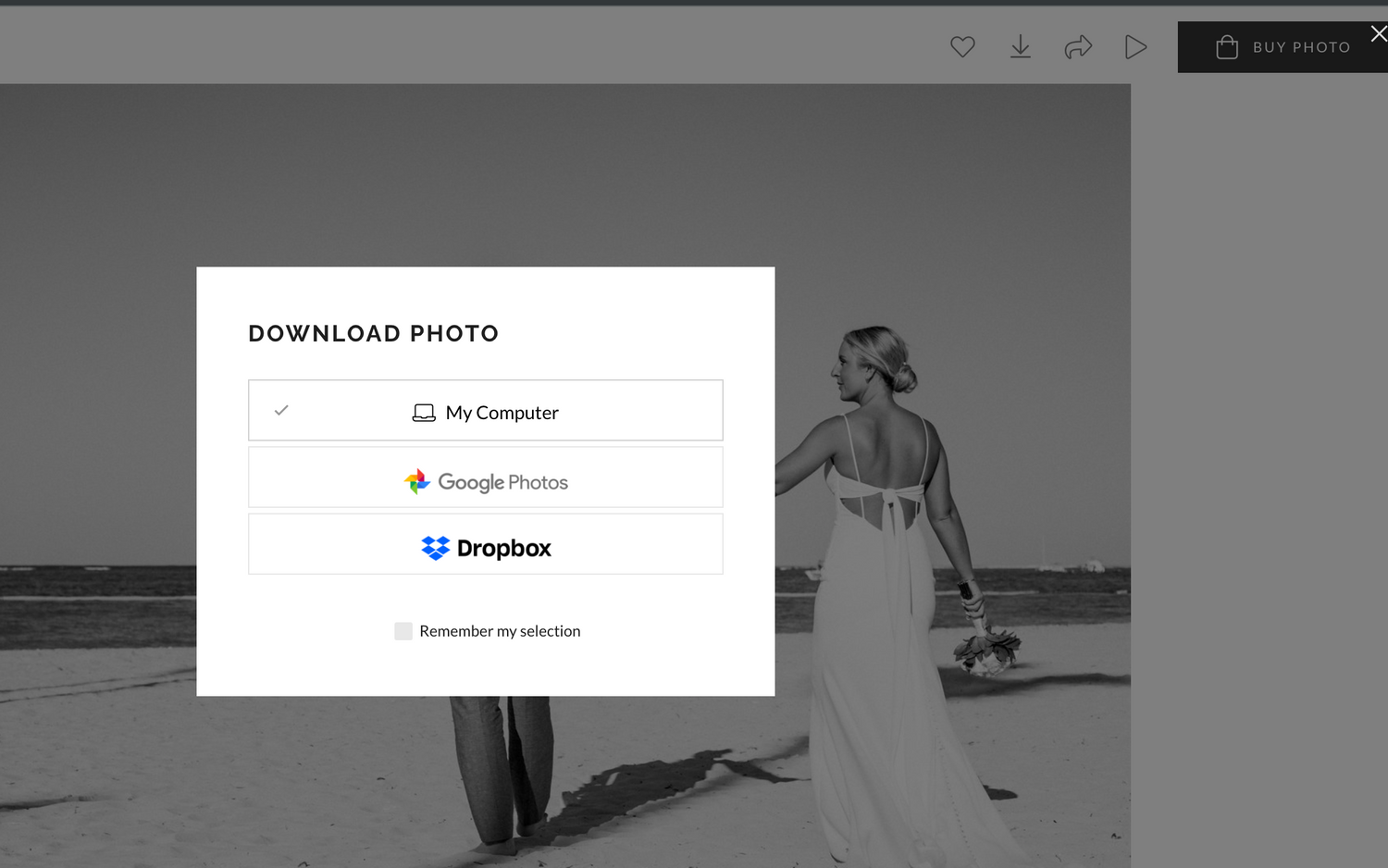
For a single photo download, simply hover over the photo and click the Download button while you're in gallery viewing mode.
Afterward, select "My Computer," and then choose the location on your computer where you'd like to save the photo.
HOW TO DOWNLOAD IMAGES FROM MOBILE DEVICE OR TABLET...
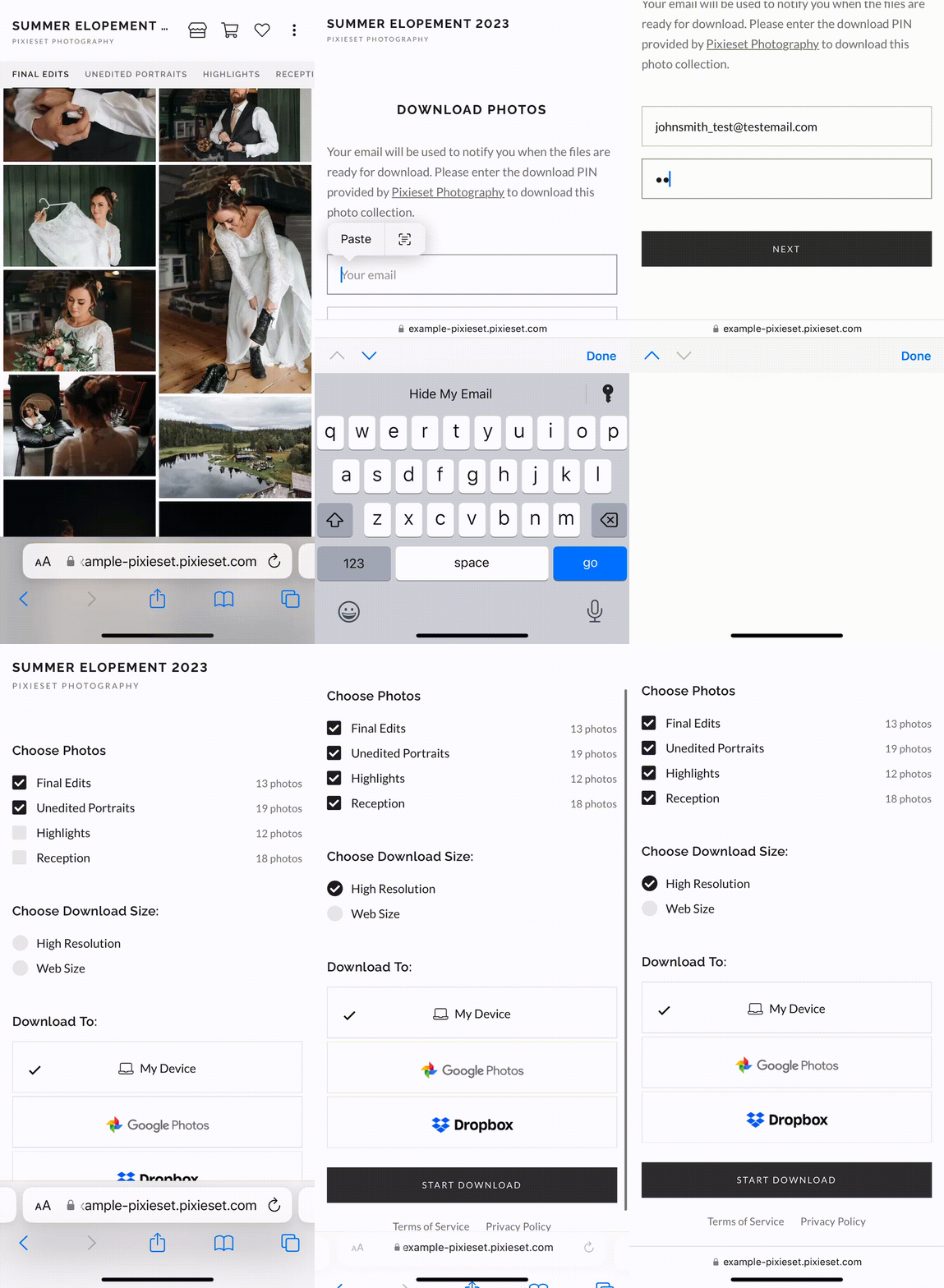
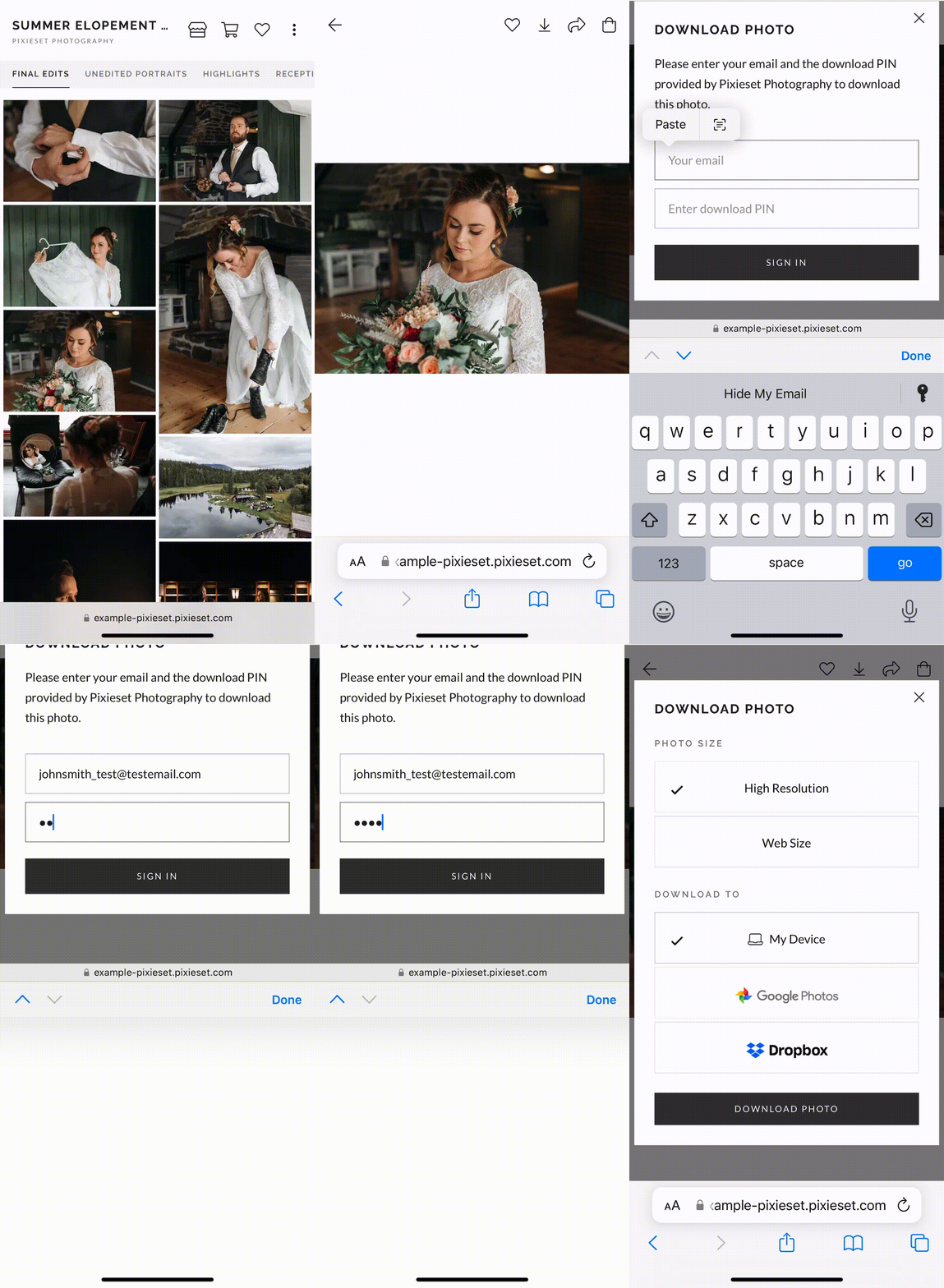
If you view your gallery on a mobile device, it will look similar to above.
full GALLERY DOWNLOADS
Gallery downloads provide the entire Collection as a single download. This can be delivered either as a .ZIP file or by using one of the supported cloud-based services listed below (Google Photos or Dropbox). If you choose to download directly to their device, a direct download link will be sent to the email address you enter, so that they do not need to wait on the same page while the download link is generated.
For .ZIP downloads, the file will be delivered to your device, and from there you can extract the image files. How to do this will vary depending on your device - there are instructions for unzipping files in iOS here, and for Android devices here.
To initiate a Full Gallery Download, you can:
- Click the more menu (the three dots) and select Download
- Enter your email address and the download PIN, if it is turned On
- Select from the available Sets to download and choose the preferred resolution
- MAKE SURE YOU SELECT WEB-SIZE FOR MOST THINGS OTHER THAN PRINTING
- HIGH RESOLUTION FOR PRINTING.
- Choose the download location
(See .GIF for example)
single image DOWNLOADS
Single photo downloads allow you to download individual photos from the Collection. These files can be downloaded directly to your device, or by using one of the supported cloud-based services listed below (Google Photos or Dropbox). You will be asked for your email address and PIN to initiate the first download. You will not be required to re-enter this information for subsequent single photo downloads.
To initiate the download, you can:
- Open any photo in the enlarged view and click the Download icon
- For the first download, enter your email address (if required) and the download PIN,
- Select the preferred resolution
- MAKE SURE YOU SELECT WEB-SIZE FOR MOST THINGS OTHER THAN PRINTING
- HIGH RESOLUTION FOR PRINTING.
- Choose your download location
(See .GIF for Example)
Download to Dropbox or Google Photos
You can also choose if you would like to download your photos to a cloud service - both Google Photos and Dropbox are supported in Pixieset. You can simply select your preferred service while downloading. Doing so will prompt them sign in with their existing credentials, and add the photos to their Google Photos/Dropbox account!
please note...
Any form of editing or alteration is strictly prohibited, and I reserve the right to request removal. When sharing on Instagram or Facebook, please include photo credit per our photography contract. Tag my page by entering "Ashtree Photographs" and selecting my photography page on Facebook and tagging @ashtreephotographs on Instagram. Your cooperation is highly appreciated.
Feel free to inquire about professional prints, photobooks, albums, or wall art if you're interested, and I'll be happy to provide guidance.
I trust this information is helpful, and I hope you thoroughly enjoy your photos!
thank you!
All Images Copyright Ashtree Photographs